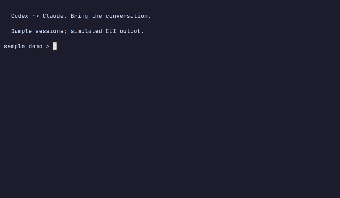
Centralized TUI for managing local AI coding sessions
showagent, by Aytzey, is a terminal user interface and Model Context Protocol server that consolidates local AI coding-agent histories for developer workflows. It lets users browse and fuzzy-search past interactions, resume or branch sessions, convert transcripts between agent formats, and expose history to other assistants via MCP. Key elements include JSON export, secret redaction, and a single static Go binary for native deployment. The tool targets developers who run multiple local coding agents and need private session control.
What tasks can you actually use it for?
The tool centralizes fragmented local agent logs so developers can treat past conversations as reusable context. In practice it supports searching across stored sessions, reopening recent exchanges in their native CLIs, branching histories to test alternate prompts, and exporting transcripts in machine-readable JSON. Those capabilities let engineers turn isolated session files into a navigable archive that informs ongoing coding work without relying on external services.
How reliable are conversions and machine-readable exports?
Session conversion rewrites user and assistant turns from one provider format into another, and the tool also provides JSON export for scripting. Supported agents include:
- Codex
- Claude Code
- Gemini CLI
- OpenCode
- Pi-coding-agent
Because the conversion process reformats turns between native schemas, users should verify transcript fidelity after switching agents when exact phrasing matters.
What inputs and platforms does it accept and what are the limits?
The tool operates on local session files and is distributed as a single static Go binary that runs natively on Linux and macOS (amd64, arm64); Windows amd64 support is currently experimental. It works with common local formats used by coding assistants and outputs JSON for automation, but platform coverage and experimental Windows status mean cross-machine workflows may require manual setup.
Does it fit existing developer workflows and how does it handle privacy?
The terminal orientation and MCP server mode position the tool for developers who prefer CLI integration and scripting. By default the tool redacts common secret-like values and only reveals verbatim secrets when started with an explicit flag, and running as an MCP server serves history over stdio to other MCP-capable agents. Community feedback highlights utility managing local JSONL files, indicating practical uptake among terminal-focused engineers.
A practical, developer-focused choice that rewards command-line workflows
The tool is a practical option for developers who manage multiple local coding assistants and accept a hands-on, terminal-driven workflow; its design favors scripting and verification over point-and-click convenience. Expect to perform light manual checks after converting transcripts and to adapt setup for experimental Windows environments. For engineers who prefer GUI session managers, the tool is less suitable; for terminal-centric teams, it provides tangible control over local agent history.